
Is n8n Free? Pricing and Self-Hosting Explained (2026)
Is n8n free? Yes, self-hosted. What the Community Edition includes, what n8n Cloud costs in 2026, the license catch, and the real monthly bill, from someone running it.
The short answer
Yes, n8n is free, if you run it yourself. The self-hosted Community Edition costs nothing, has no execution limits, and covers everything a solo builder or a small team needs to automate real work. I run my own instance this way on a cheap VPS, and the only invoice I pay is the server.
What is not free is n8n Cloud, the hosted version where n8n runs the servers for you. That starts at 20€ per month. And there is one license rule worth understanding before you build a business idea on top of n8n, which I will get to below.
What you actually get for free
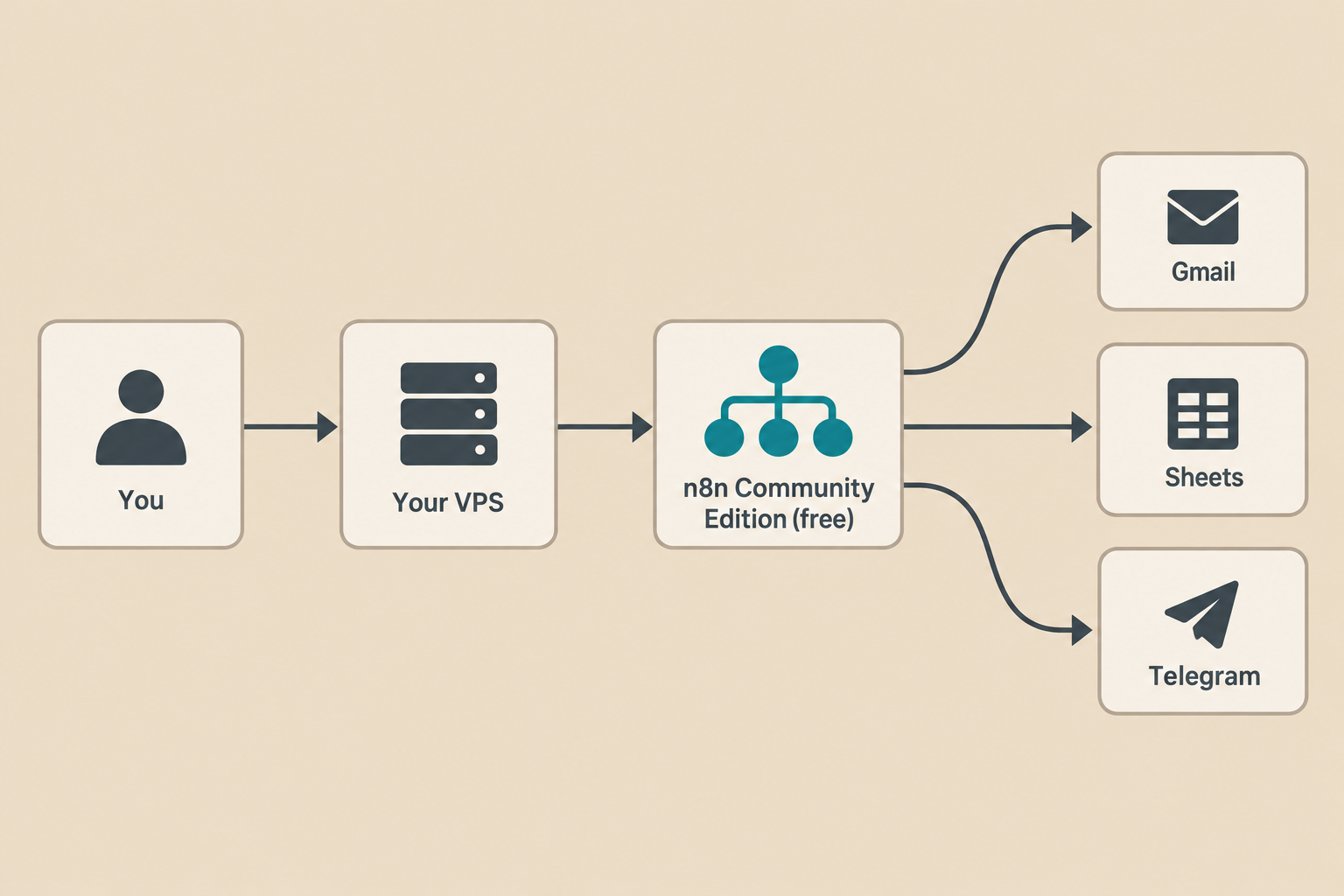
The free version is not a trial and not a cut-down demo. The Community Edition is the same core product n8n sells, published as source-available code on GitHub. Without a license key, n8n simply runs as the Community Edition. That includes:
- Unlimited workflows and unlimited executions. n8n Cloud charges by monthly executions; the self-hosted version never counts them.
- Every integration node: Gmail, Slack, Telegram, Google Sheets, the AI agent nodes, all of them.
- The full editor, webhooks, scheduling, custom JavaScript and Python steps, and the ability to build your own nodes.
- Unlimited users on your instance.
This is why I could build a working email triage agent on a free instance without ever opening a pricing page. If you want to see what a free self-hosted setup can do in practice, that build is documented step by step in my email triage agent guide.
The license catch, in plain words
n8n is not open source in the strict sense. It uses what n8n calls a fair-code license: the Sustainable Use License. The rule that matters:
You may use and modify n8n for your own internal business purposes, or for non-commercial and personal use. You may not take n8n, host it, and sell access to it as a service to your customers. That requires an Enterprise agreement (n8n calls this the OEM case).
So: automating your own shop, your agency's internal work, or workflows you run inside a client's company on their behalf: fine. Rebranding n8n as "your" automation platform and charging third parties for accounts: not fine. For almost everyone reading this, the free license covers what you actually want to do.
What n8n Cloud costs
If you do not want to run a server, n8n Cloud is the paid, hosted option. Prices as of November 2026, billed annually:
- Starter: 20€/month. 2,500 workflow executions per month, unlimited users, 2,300 AI credits monthly. A free trial needs no credit card.
- Pro: 50€/month. 10,000 executions, more concurrent runs, workflow history and admin roles.
- Business: 667€/month. 40,000 executions, SSO/SAML, Git version control, environments. Companies under 20 employees can ask about the Start-up Plan, which takes 50% off Business.
- Enterprise: custom pricing, self-hosted or cloud, with SLA support and audit features.
One detail I like about their model: you pay per full workflow execution, not per step and not per user. A 40-step monster workflow costs the same single execution as a two-step ping. Tools like Zapier count tasks per step, which punishes exactly the kind of complex workflows that make automation worth doing.
Do the execution math before picking a tier. 2,500 executions sounds like a lot until you schedule something: a workflow that runs every 15 minutes burns about 2,880 executions a month on its own, over the Starter limit already. Five daily report runs and a webhook that fires on every new order? Count your triggers for a week before you commit. This arithmetic is the strongest argument for self-hosting: on your own server the meter simply does not exist. Check the current numbers on the n8n pricing page before you decide; they change.
The real cost of "free" self-hosting
Free software still runs on paid hardware. Here is the honest bill for my setup:
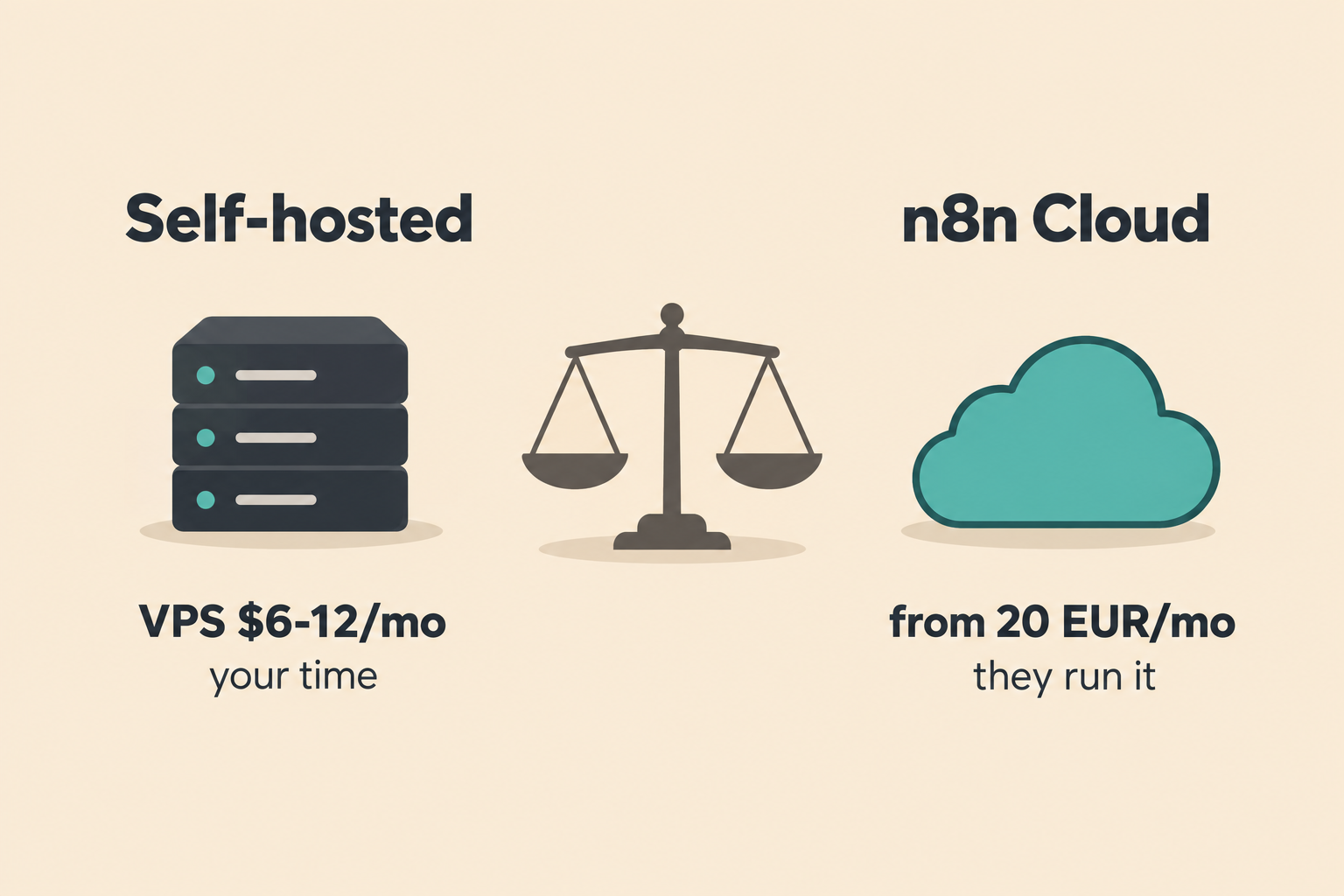
- The server. n8n is light. A small VPS with 4 GB of RAM handles a personal or small-business instance comfortably. I use Hostinger; their smallest KVM plan is around $6.50 per month on an introductory term and renews near $12. Hetzner, Contabo and DigitalOcean play in the same price band. Call it $5–12 per month.
- Your time. You own updates, backups, and security. An update is one Docker command, but you have to run it. Backups you must set up yourself. I automated mine to Dropbox, and the workflow is in my n8n backup guide. Things also break at inconvenient hours; my notes on logging n8n errors to Monday.com cover how I notice failures before they pile up.
- AI usage. The cloud plans bundle monthly AI credits. Self-hosted, you bring your own API keys (OpenAI, Gemini, Anthropic) and pay those providers directly for what your agents consume. For light personal use that is a few dollars a month; an agent that reads every email costs more. Watch it.
Total for a typical solo setup: roughly $8–15 per month all in, versus 20€ for the cheapest cloud tier, and with no execution ceiling.
A word on data ownership
Self-hosting has a benefit nobody puts on the pricing page: your data never leaves your server. Every customer email, every API credential, every row your workflows touch stays on a machine you control, under your jurisdiction. If you work with European clients and GDPR comes up in conversations, and it will, being able to say "your data sits on my server in a data center I chose" ends the discussion in one sentence. The flip side is that security is also yours: put the instance behind HTTPS, keep it updated, and do not expose it to the open internet without authentication. n8n's hosting docs cover the hardening basics.
When free is enough, and when to pay
Stay on the free Community Edition if you are comfortable with basic Docker commands, you want unlimited executions, you are automating your own work or your own company's work, and you would rather spend ten dollars on a server than twenty euros on convenience.
Pay for n8n Cloud if you never want to see a terminal, you need workflow history and admin roles without setup, or downtime on your side is genuinely not an option. Pay for Business or Enterprise if you need SSO, audit logs, or environments, or if your business model is selling n8n-based services, which is the license line you cannot cross for free.
There is no wrong door. Many people start self-hosted to learn, then move to cloud when the workflows become business-critical, and moving means exporting workflows, which n8n makes trivial. My Airtable workflow guide is a good first real project once your instance is up.
Start free in about ten minutes
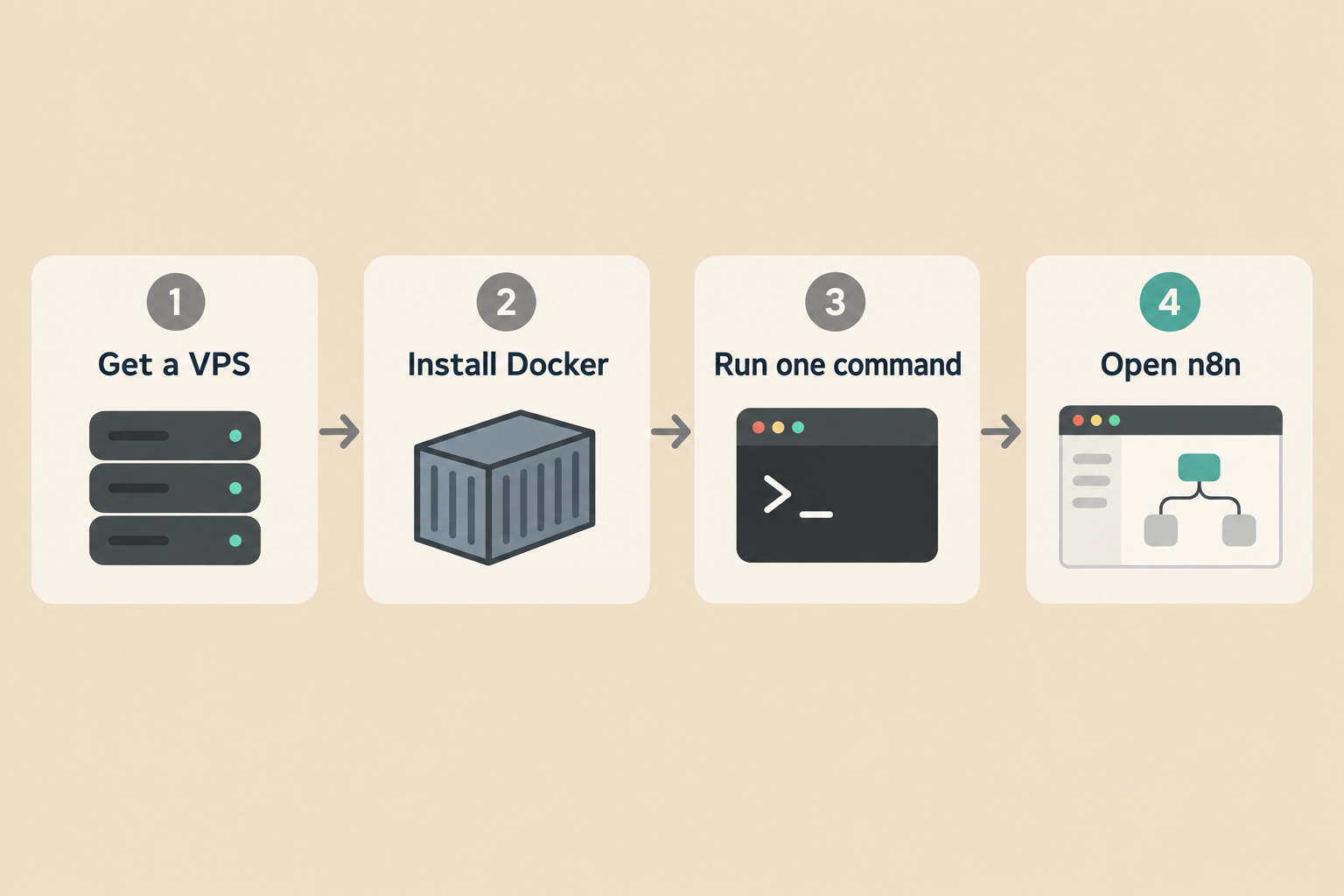
The fastest route is n8n's own one-line setup on any Linux VPS with Docker installed:
curl -fsSL https://get.n8n.io | shThat script handles the dependencies and leaves you with a running instance. For anything you care about, use the Docker Compose route instead: it separates the database properly and survives restarts cleanly. Both are documented in the official self-hosting docs. One deprecation to know: installing via npm is no longer recommended as of n8n 3.0; use Docker.
Questions people ask
Is n8n free?
Yes, the self-hosted Community Edition is free, with no limits on workflows, executions or users. n8n Cloud, the hosted version, is paid and starts at 20€ per month.
Can I use n8n for free forever?
Yes, if you self-host the Community Edition and your use stays inside the Sustainable Use License: your own business, personal projects, or client work you run for them. The only ongoing cost is your server.
Does n8n have a free trial?
n8n Cloud offers a free trial and n8n states no credit card is required. A trial ends; the self-hosted Community Edition does not.
Is n8n open source?
Not by the strict OSI definition. n8n calls its model fair-code: the source is available on GitHub under the Sustainable Use License, which permits internal business and personal use but not reselling n8n itself as a hosted service.
What is an execution in n8n?
One full run of a workflow, from trigger to finish, no matter how many steps it contains. n8n Cloud plans meter executions; the self-hosted version does not count them at all.
Bottom line
n8n is free in the way that matters: full product, no execution meter, no credit card, running on hardware you control, for your own business use. The bill you pay instead is a $6–12 VPS and an hour of maintenance a month. Pay n8n when your time costs more than their 20€, or when the license says your idea is theirs to sell. For everyone else: self-host it, back it up, and spend the savings on coffee.
Pricing note: all prices and plan details checked against n8n.io and Hostinger in November 2026. Both change their pricing regularly, so verify before you buy.
Related articles in Technology
n8n vs Make vs Zapier: Real Costs and Who Each One Fits (2026)
n8n vs Make vs Zapier in 2026: tasks vs credits vs executions, what the same workflow really costs, free tiers compared, and who each tool fits, from someone who self-hosts n8n.

Build an Email Triage Agent with n8n (2026 Guide)
A step-by-step build of the n8n agent that sorts my inbox: Gmail trigger, LLM classification, labels, reply drafts, and one morning digest. Prompts, settings, costs and mistakes included.

Automate n8n Backups to Dropbox (2026)
Mastering Your Digital Fortune: The Power of n8n workflow backup automation 2026 In the volatile worlds of crypto markets and stock investing, where fortunes can shift in an instant, proactive risk management isn’t just a good idea – it’s your digital lifeline. As we hurtle towards 2026, the reliance on sophisticated automation tools like n8n
Get new Blogtechi articles by email.
Get the latest insights on AI, automation, and future tech delivered to your inbox. You confirm your address first and can unsubscribe at any time.
By subscribing, you agree to our Privacy Policy and Terms of Service.